SpendSilo
A progressive web app that scans invoices and receipts, reads them with a vision model, and returns structured spend data that always lands in a review queue first.
Stack: Next.js 16 (App Router), React 19, TypeScript, Supabase (Postgres, Storage, Auth), OpenAI vision, Zod, sharp, Tailwind. Deployed on Vercel. Status: Active. Built as a one-week experiment. Source: private. Live: invoice-ocr-blond.vercel.app
The story
I built SpendSilo to answer a narrow question: how much of a “real” invoice-capture app can now live entirely in a browser tab? A few years ago this was native-app territory. Camera access, file handling, background work, offline behaviour, a home-screen icon, all of that meant shipping through an app store and waiting for review. SpendSilo does none of that. It is a website you install to your phone’s home screen, open full-screen, and use like any installed app. The store step is gone.
The job it does is unglamorous. You point your phone at a supplier invoice or a till slip, or drop a stack of PDFs on the desktop, and it gives back clean fields: supplier, invoice number, date, totals, VAT, line items. It is aimed at South African businesses, so day-month-year dates, 15% VAT, and ZAR defaults are part of how it reads a document.
The part I spent the most time on is not the model call. It is everything that decides whether you can trust the model’s answer. A vision model will happily return confident nonsense, so the output is treated as a claim that has to pass checks before a human ever sees it as “ready”.
How the scan-to-JSON loop works
- You open the site and tap Take photo (it opens the rear camera) or pick files. On desktop you drag and drop.
- Before anything uploads, the browser shrinks large phone photos. That saves data and stays under the upload size limit.
- The files hit one endpoint that stores the original, creates a job, and answers straight away. You can navigate away or close the tab.
- The reading happens in the background. The image is straightened by its EXIF orientation and downscaled to match the vision model’s high-detail tile size, then sent with a South-African-invoice prompt and asked for structured JSON.
- That JSON is checked twice. First against a strict schema for shape, then against business rules: is there a total, does subtotal plus VAT reconcile to within two cents, is the date present, does a tax invoice carry a VAT number.
- A confidence score decides where it lands. Nothing is auto-approved, even at high confidence. Everything waits in a review queue for a person to confirm or correct.
- Your phone polls for progress and tells you when each document is done, then links straight to the review screen.
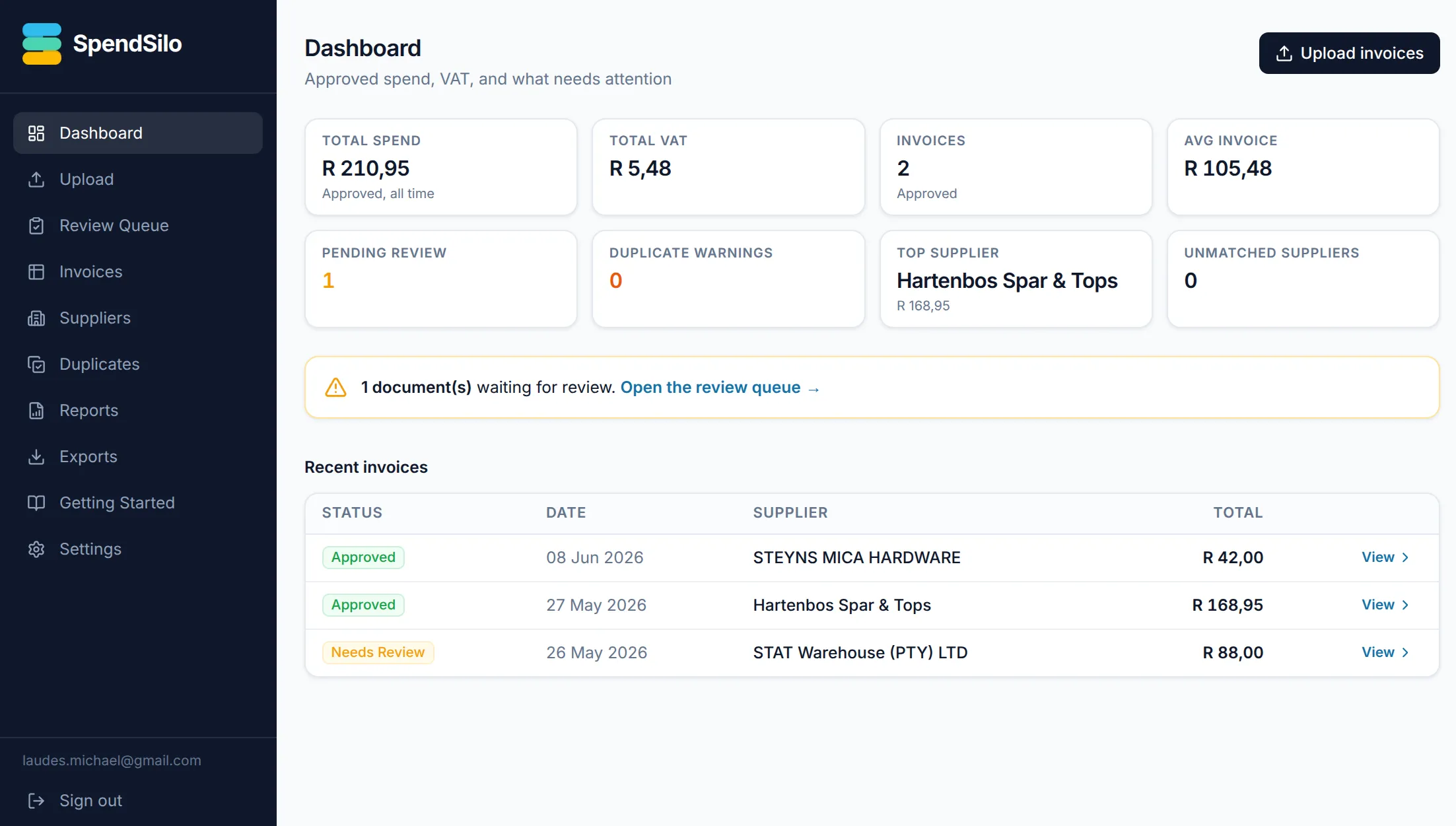
Architecture in one breath
Browser shrinks the image → one upload endpoint stores the original and queues the work, then responds → background task straightens and downscales, calls the vision model behind a json_schema contract → Zod validates shape, business rules validate the numbers → confidence scoring sets status → row written to Postgres with a full extraction log → the phone polls Supabase for progress, not the original request.
Proof points
- Extraction runs in the background through Next.js
after(), so closing the tab does not kill the job. The phone polls the database for status rather than holding a long request open. - Images are shrunk twice: in the browser before upload, then on the server with EXIF straightening and a downscale to 1568px to match the model’s high-detail tile (keeps vision token cost down).
- Model output is validated on two levels: a strict schema for shape, then deterministic business rules for the money (VAT reconciliation, sane totals, required fields).
- Confidence scoring weights the total amount most heavily, but nothing is ever auto-approved. Low-confidence and clean extractions both land in review.
- Duplicate detection matches on supplier, invoice number, date, and total, so the same slip uploaded twice gets flagged.
- The service worker caches the app shell and an offline page, but never caches API calls or signed image URLs, so private tenant data stays private.
What this proves
- AI / Agentic Systems: the vision model sits behind a typed extraction contract,
json_schemaon the way out and Zod plus business rules on the way in, with confidence scoring and a no-auto-approve rule. The same discipline as the scanner, applied to OCR. - Design & Brand: the PWA shell, the install prompt, camera capture, the offline page, and the review-queue UI.
Decisions worth a deeper read
Sibling experiment from the same week: Magic Camera.
